Key takeaways
- Aggregate (RUA) reports are daily XML summaries sent by receivers such as Google and Microsoft.
- Each record shows a source IP, a message count, and the SPF, DKIM and DMARC results.
- Group sources into three buckets: your known senders, forwarders, and unknown or abusive senders.
- Fix legitimate sources that fail before moving from p=none to quarantine or reject.
- Use a reporting tool once volumes grow; raw XML is fine for learning, not for daily monitoring.
In this guide
- What a DMARC aggregate report is
- What arrives in your mailbox
- The structure of the XML, part by part
- How to read one record
- Sort every source into three buckets
- What to fix, by situation
- When you are ready to tighten your policy
- Tools to make reports readable
- Glossary of DMARC report fields
- A worked reading session
- Frequently asked questions
What a DMARC aggregate report is
When your DMARC record includes a rua= address, mailbox providers that support DMARC reporting send you a daily summary of all the mail they received claiming to come from your domain. This is the aggregate report, often called the RUA report.
It does not contain message content. It contains statistics: which servers sent mail using your domain, how many messages, and whether SPF, DKIM and DMARC passed. It is the only way to see the complete list of systems sending in your name, including the ones you forgot and the ones you never authorized.
A typical DMARC record that requests reports looks like this:
_dmarc.yourbrand.com TXT "v=DMARC1; p=none; rua=mailto:dmarc@yourbrand.com"If you have not set this up yet, start with my SPF, DKIM and DMARC setup guide.
What arrives in your mailbox
Reports arrive as email attachments, usually compressed (.zip or .gz), with a file name that includes the reporting organization, your domain and a time range, for example google.com!yourbrand.com!1761955200!1762041599.zip. The two numbers are Unix timestamps for the start and end of the period.
Inside is an XML file. It looks intimidating, but it always has the same three parts.
The structure of the XML, part by part
1. Report metadata
<report_metadata>
  <org_name>google.com</org_name>
  <email>noreply-dmarc-support@google.com</email>
  <report_id>1234567890</report_id>
  <date_range><begin>1761955200</begin><end>1762041599</end></date_range>
</report_metadata>
Who sent the report and which 24-hour period it covers.
2. Published policy
<policy_published>
  <domain>yourbrand.com</domain>
  <adkim>r</adkim><aspf>r</aspf>
  <p>none</p><sp>none</sp><pct>100</pct>
</policy_published>
The DMARC policy the receiver found for your domain. adkim and aspf show the alignment mode: r (relaxed, subdomains allowed) or s (strict, exact match). Check that this matches what you think you published.
3. Records
<record>
  <row>
    <source_ip>203.0.113.25</source_ip>
    <count>1840</count>
    <policy_evaluated>
      <disposition>none</disposition>
      <dkim>pass</dkim><spf>fail</spf>
    </policy_evaluated>
  </row>
  <identifiers><header_from>yourbrand.com</header_from></identifiers>
  <auth_results>
    <dkim><domain>yourbrand.com</domain><selector>s1</selector><result>pass</result></dkim>
    <spf><domain>bounces.example-esp.com</domain><result>pass</result></spf>
  </auth_results>
</record>
Each record groups messages from one source IP with the same results. This is where the real information is.
How to read one record
| Field | Meaning | In the example |
|---|---|---|
| source_ip | The server that delivered the messages | 203.0.113.25 |
| count | Number of messages from that IP with these results | 1,840 |
| disposition | What the receiver did because of DMARC | none (delivered normally) |
| policy_evaluated / dkim | DKIM result after alignment | pass: DKIM passed and aligned |
| policy_evaluated / spf | SPF result after alignment | fail: SPF passed, but for another domain |
| header_from | The domain in the visible From address | yourbrand.com |
| auth_results | Raw SPF and DKIM results, before alignment | DKIM signed by yourbrand.com; SPF passed for the ESP's bounce domain |
This example is very common and perfectly fine: the email platform uses its own bounce domain for SPF (so SPF is not aligned), but signs DKIM with your domain. DMARC passes because one aligned method passing is enough.
auth_results tells you whether SPF and DKIM passed technically. policy_evaluated tells you whether they passed and aligned with your From domain. DMARC only cares about the second.
Sort every source into three buckets
After a week or two of reports, list every source IP with its volume and results. Then sort them:
- Your known senders. Your mailbox provider (Google Workspace, Microsoft 365), your email marketing platform, your shop, your CRM, your helpdesk. Look up each IP owner to identify them. These must pass DMARC.
- Forwarders and mailing lists. Servers of universities, mailing list services or providers that forward mail for their users. They often fail SPF, and sometimes DKIM. That is expected; see why forwarded emails fail DMARC.
- Unknown or abusive senders. IPs with no relation to you, often in small volumes, failing everything. This is spoofing, and it is exactly what an enforced DMARC policy blocks.
What to fix, by situation
| What you see | Diagnosis | Fix |
|---|---|---|
| Known sender, DKIM fail, SPF fail | Tool not authenticated | Set up DKIM on your domain in that tool, add it to SPF if needed |
| Known sender, DKIM pass but domain is the tool's own | DKIM not aligned | Enable custom domain DKIM in the tool |
| Known sender, SPF pass but not aligned, DKIM missing | Relying on SPF of another domain | Enable aligned DKIM; it is more robust |
| Your own mail server, SPF PermError | SPF record too long | See fixing too many DNS lookups |
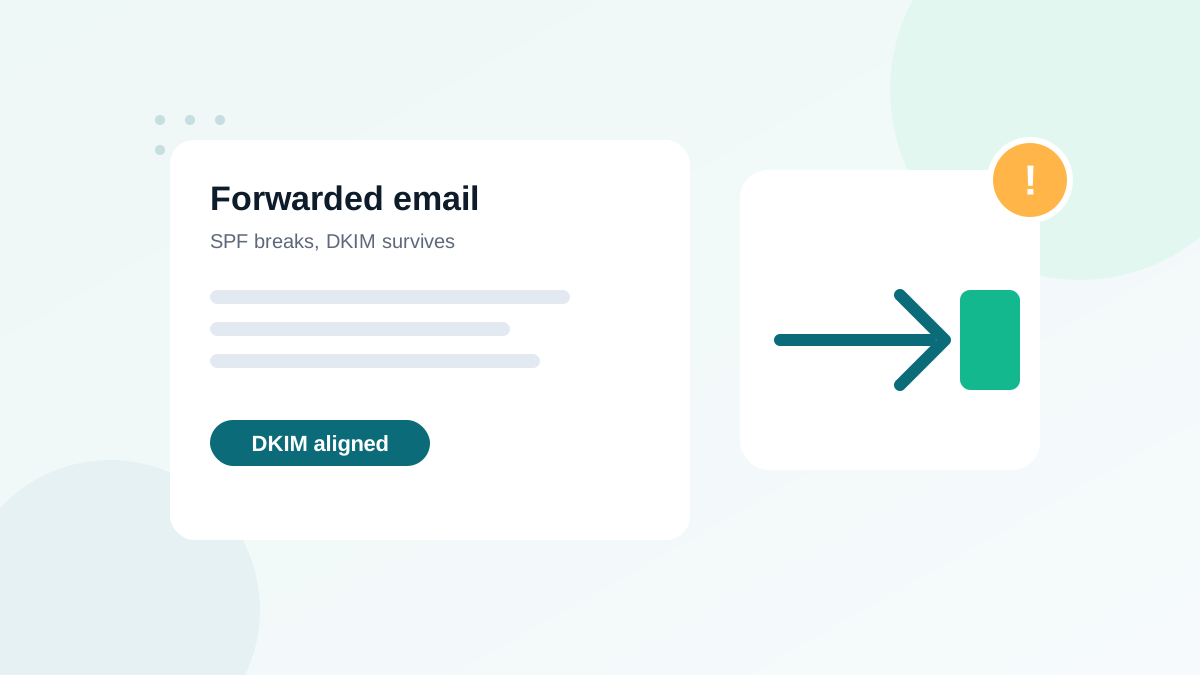
| Forwarder, SPF fail, DKIM pass | Normal forwarding | Nothing; DMARC passes through DKIM |
| Unknown IPs, everything fails | Spoofing | Move toward p=quarantine and p=reject |
When you are ready to tighten your policy
Reports are the evidence you need before going from p=none to an enforced policy. You are ready when:
- All your known senders pass DMARC on almost all their messages, for at least two to four weeks.
- The remaining failures are forwarders (that mostly pass through DKIM) or clearly abusive sources.
- No new legitimate tool is about to be launched without authentication.
Then move to p=quarantine, optionally with pct= to apply it to part of the traffic first, keep reading reports, and finally move to p=reject. Enforcement is also a prerequisite for BIMI, which lets you show your logo in Gmail.
Tools to make reports readable
For learning, opening a few XML files is perfect: you will understand your domain much better. For ongoing monitoring, use a DMARC reporting service or a free parser that turns the files into tables and charts, groups IPs by provider and alerts you when a new source appears. Choose one that lets you export data and that clearly states how it stores your reports.
Whatever the tool, the method stays the same: identify every source, make your own streams pass, and let DMARC block the rest.
Glossary of DMARC report fields
| Field | Plain-English meaning |
|---|---|
| org_name | The organization that sent the report (for example google.com) |
| adkim / aspf | Alignment mode for DKIM and SPF: r = relaxed, s = strict |
| p / sp | Your policy for the domain and for its subdomains |
| pct | Percentage of failing mail the policy applies to |
| disposition | Action actually taken: none, quarantine or reject |
| envelope_from | The technical sender domain checked by SPF (when present) |
| reason | Optional explanation when a receiver did not apply your policy, such as forwarding or a local override |
Keep this table next to you during your first reading sessions. After a few reports, the structure becomes familiar and you will scan files in minutes.
A worked reading session
Here is how a typical first week of reports looks for a small business using Google Workspace, an email marketing platform and an online shop:
| Source (identified) | Messages | DMARC result | Action |
|---|---|---|---|
| Google Workspace servers | 2,300 | Pass (DKIM + SPF aligned) | None |
| Email marketing platform | 9,800 | Fail (DKIM signed by the platform's domain) | Authenticate your domain in the platform |
| Online shop server | 640 | Fail (no DKIM, not in SPF) | Add to SPF and enable DKIM, or send through an authenticated service |
| University forwarders | 35 | Pass (DKIM survived) | None |
| Unknown IPs in several countries | 210 | Fail | Spoofing: will be blocked after enforcement |
In this example, two fixes cover more than 99% of legitimate volume. That is the usual pattern: a handful of misconfigured tools, then a clean path to enforcement. Check your Postmaster Tools authentication chart afterwards to confirm the improvement at Gmail.
Frequently asked questions
What is the difference between RUA and RUF reports?
RUA reports are aggregate statistics sent daily. RUF reports are forensic copies of individual failing messages. Most large providers no longer send RUF reports for privacy reasons, so RUA is what you will mainly receive.
How often are DMARC reports sent?
Usually once per day per reporting organization, covering the previous 24 hours. You may receive several files daily if many providers report.
Why do I see IP addresses I do not recognize?
They can be forwarding services, mailing lists, a tool you forgot, or someone spoofing your domain. Look up the IP owner and check whether DKIM passes with your domain.
Do I need a paid tool to read DMARC reports?
Not to start. You can open the XML files or use a free parser. A paid service becomes useful when you receive many reports or want alerts.
Can DMARC reports contain personal data?
Aggregate reports contain IP addresses and domains, not message content. Forensic reports can contain message details, which is why they are rarely sent.