Key takeaways
- Every import is a risk: old, purchased or poorly collected data brings bounces and spam traps.
- Clean formatting and duplicates first, then verify every address.
- Import invalid and disposable addresses as suppressed, or not at all.
- Store the verification status and date as contact fields for future segmentation.
- Check consent for each source before importing for marketing.
In this guide
- Why imports are the riskiest moment for your data
- The pre-import process
- After the import: the first sends
- Specific import scenarios
- What CRMs and email platforms check on their own
- Common import mistakes
- A field template for imported contacts
- Imports and platform limits
- Who should own imports
- Re-verifying data already in the CRM
- Import day checklist for the person in charge
- In one minute
- Related routines
- Pre-import checklist
- Frequently asked questions
Why imports are the riskiest moment for your data
Most bad data does not arrive one contact at a time. It arrives in bulk, through imports: a spreadsheet from a trade show, a list from a webinar partner, an export from an old CRM, a migration after an acquisition. One import can add thousands of addresses that nobody has checked for years.
Once inside your CRM or email platform, these contacts flow into segments, automations and campaigns. The first send to them often produces a wave of bounces, and sometimes spam trap hits. Many email platforms review accounts after a high-bounce campaign, and some pause sending until the list is cleaned.
Verifying before the import is cheaper, faster and safer than cleaning afterwards.
The pre-import process
Step 1: Check the source and the consent
Before any technical work, answer three questions for each file:
- Where do these contacts come from, and when were they collected?
- Did they agree to receive marketing from you, if consent is required where they live?
- Is any part of the file purchased, rented or scraped? If yes, do not import it for marketing.
Record the source and collection date for each file. You will map them into CRM fields later.
Step 2: Prepare the file
Clean formatting, remove duplicates and fix obvious typos in a spreadsheet. The full method is in how to clean an email list in Excel (or in Google Sheets). In short: trim spaces, lowercase, remove duplicates, flag malformed addresses.
Step 3: Remove contacts you must not email
Export the suppression list from your current email platform (unsubscribes, complaints, hard bounces) and remove every match from the import file. Re-importing people who unsubscribed is one of the most damaging mistakes, both legally and for your reputation.
Step 4: Verify every address
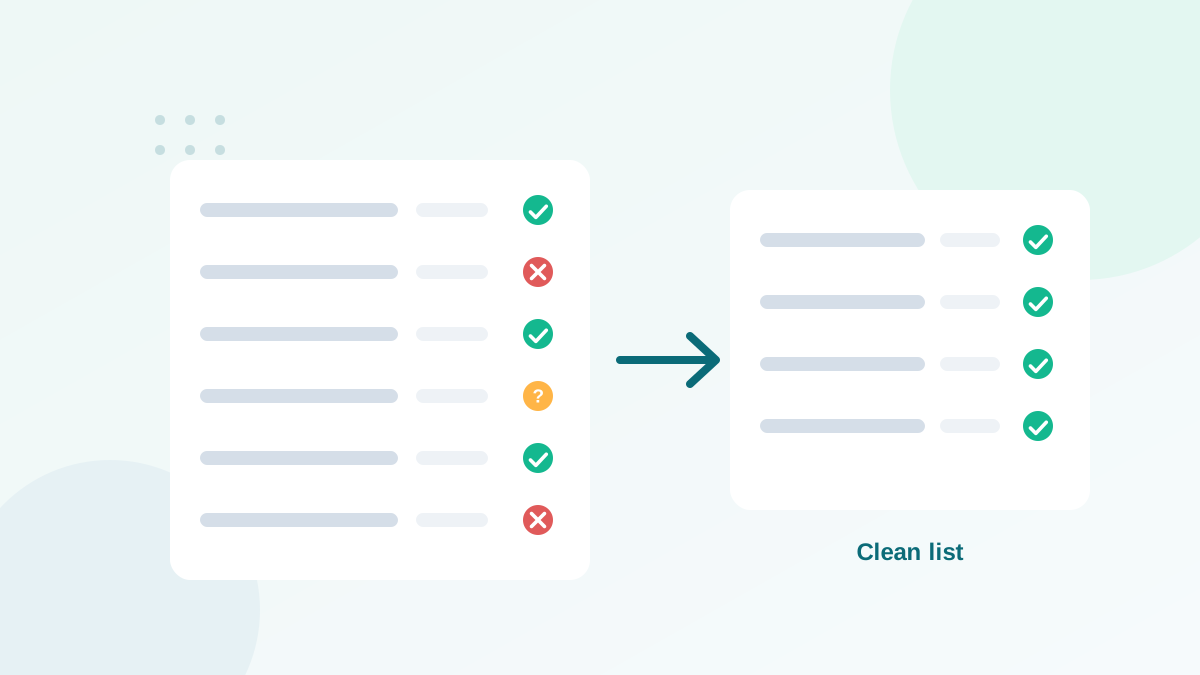
Upload the email column to a verification tool. You get a status per address: valid, invalid, disposable, role-based, catch-all or unknown. What each status means is explained in how email verification works.
Step 5: Decide what to import, and how
| Status | Import? | How |
|---|---|---|
| Valid | Yes | Normal import, with source and verification fields |
| Catch-all | Yes | Tag as catch-all; send carefully at first |
| Role-based | Depends | Only with consent; tag as role |
| Unknown | Optional | Re-verify first, or import as a risky segment |
| Invalid | No (or as suppressed) | Keep only if you need history, with do-not-email status |
| Disposable | No | Discard |
Step 6: Map verification data into the CRM
Create custom fields before importing:
- Email verification status (valid, catch-all, role, unknown)
- Email verification date
- Lead source and collection date
- Marketing consent status and date, where relevant
These fields let you build safe segments, re-verify old records later, and prove where each contact came from.
After the import: the first sends
Even verified data deserves a careful start:
- Send a welcome or "here is why you hear from us" email to imported contacts, explaining who you are and how they joined.
- Start with valid addresses only, then add catch-all and unknown segments in smaller batches.
- Watch bounces and complaints for this group separately from your main list.
- Suppress hard bounces immediately and contacts who complain.
For larger imports, this looks very much like a warm-up; see email warm-up.
Specific import scenarios
Trade show and event leads
Badge scans and paper forms are full of transcription errors. Verify every address, and send a confirmation email that offers a clear way to opt out.
Migration from another CRM or email platform
Export suppressions as well as active contacts, and import them as suppressed. Verify active contacts that have not been emailed for months. Keep the original subscription dates.
Old customer databases
Addresses collected years ago have decayed; see email list decay. Verify them, and check whether your consent basis still covers marketing.
Partner or co-marketing lists
Never import a partner's list for your own marketing unless each contact explicitly agreed to hear from you. Ask partners to promote your signup page instead.
What CRMs and email platforms check on their own
Most CRMs check that the address has a valid format, and some reject obvious duplicates. They do not check whether mailboxes exist. Email platforms usually suppress addresses after they bounce, which means they learn about bad data only after it has hurt your sending. Verification fills that gap before anything is sent.
Common import mistakes
- Importing everything "just in case" and planning to clean later.
- Forgetting the suppression list from the previous platform.
- Losing the source information, which makes consent questions impossible to answer later.
- Sending a big campaign to all new contacts on the day of import.
- Mixing imported contacts with engaged subscribers without tags, so problems cannot be traced.
A field template for imported contacts
| Field name | Type | Example value |
|---|---|---|
| email_verification_status | Dropdown | valid / catch-all / role / unknown |
| email_verified_on | Date | 2026-11-03 |
| lead_source | Text or dropdown | Trade show Paris 2026 |
| collected_on | Date | 2026-10-15 |
| marketing_consent | Yes / No | Yes |
| consent_text_version | Text | Form v3 (newsletter checkbox) |
Six fields are enough to answer the three questions that matter later: is this address still good, where does it come from, and may we send marketing to it?
Imports and platform limits
Many email platforms check imports automatically. Some ask you to confirm that contacts opted in; some review large imports manually; some reject files with too many role-based or invalid addresses. Verifying before import makes these checks a formality instead of a blocking issue, and protects your account standing.
Who should own imports
In many teams, anyone can import a file. That is how bad data gets in. Assign one person or role to approve imports, with a short checklist: source and consent documented, suppression applied, verification done, fields mapped. It adds a few minutes per import and saves hours of cleanup later.
Re-verifying data already in the CRM
Data inside a CRM decays like any list; see email list decay. Use the verification date field to find contacts not checked for six months or more, export them, verify them, and update the status. For sales teams, this also prevents wasted outreach to people who left their company long ago.
Import day checklist for the person in charge
- Open the verified file and check the status summary.
- Confirm that invalid and disposable addresses are excluded.
- Confirm that suppressed contacts were removed.
- Map fields: email, name, source, collection date, consent, verification status and date.
- Import into a dedicated list or tag, not directly into your main audience.
- Check a few records in the CRM after import.
- Plan the first send to this group with a small volume.
Following the same steps every time makes imports boring, which is exactly what you want.
In one minute
Before any import: confirm source and consent, clean formatting and duplicates, remove suppressed contacts, verify every address, import only the right statuses with verification and source fields, and start sending carefully. This routine prevents the bounce waves and account reviews that so often follow imports.
Related routines
Imports are one entry point among several. Protect the others too: real-time verification on forms (guide), bot protection (guide) and regular cleaning of the data already inside your systems.
Pre-import checklist
- Source, date and consent documented for each file
- Purchased, rented and scraped data excluded
- Formatting cleaned and duplicates removed
- Suppression list applied
- Every address verified
- Status-based import plan applied
- Verification and source fields mapped in the CRM
- Careful first sends with separate monitoring
For the ongoing routine after the import, see how to clean your email list.
Frequently asked questions
Why verify before importing instead of after?
Many email platforms review new accounts or imports, and a first campaign with high bounces can trigger warnings or suspensions. Verifying first avoids that risk.
Should I import invalid addresses at all?
Usually no. If you need them for history, import them with a suppressed or do-not-email status so they are never sent to.
How do I keep verification results in my CRM?
Create custom fields such as verification status and verification date, and map them during import.
Do CRMs verify emails automatically?
Most CRMs only check format. Some integrate with verification services, but by default they do not check mailboxes.
What about contacts without marketing consent?
Import them for the purposes you have a lawful basis for, such as sales follow-up, but do not add them to marketing lists without consent where it is required.